User-Friendly School Management Systems: What School Leaders Should Look For
When selecting a School Management System (SMS), it’s easy to get overwhelmed by the many options available. However, the right system can significantly enhance the efficiency of school operations, improve communication, and provide critical insights for school leaders. A truly user-friendly SMS makes life easier for everyone in the school community, from administrators and teachers to students and parents.
In this article, we explore what makes a School Management System user-friendly and highlight the key features that school leaders should prioritise when choosing the best system for their schools.
1. Keep It Simple
If a system feels complicated, staff won’t use it. The best platforms are designed with simplicity in mind: clean dashboards, clear navigation, and no clutter. Staff shouldn’t need a manual just to find attendance or generate a report. Customisation is a bonus, letting schools tweak layouts or workflows to fit their needs. When the design is intuitive, teachers and administrators can focus on students, not on battling software.
2. Easy Onboarding and Training
Rolling out a new system shouldn’t grind school operations to a halt. Look for providers who make onboarding painless: step-by-step setup guides, quick video tutorials, and support that actually responds when you need it. The goal is for staff to feel confident within days, not months. A smooth start ensures the system supports learning rather than distracting from it.
Worth checking:
- Straightforward setup documentation.
- Bite-sized tutorial videos.
- Reliable and responsive support.
3. Access Anywhere, Anytime
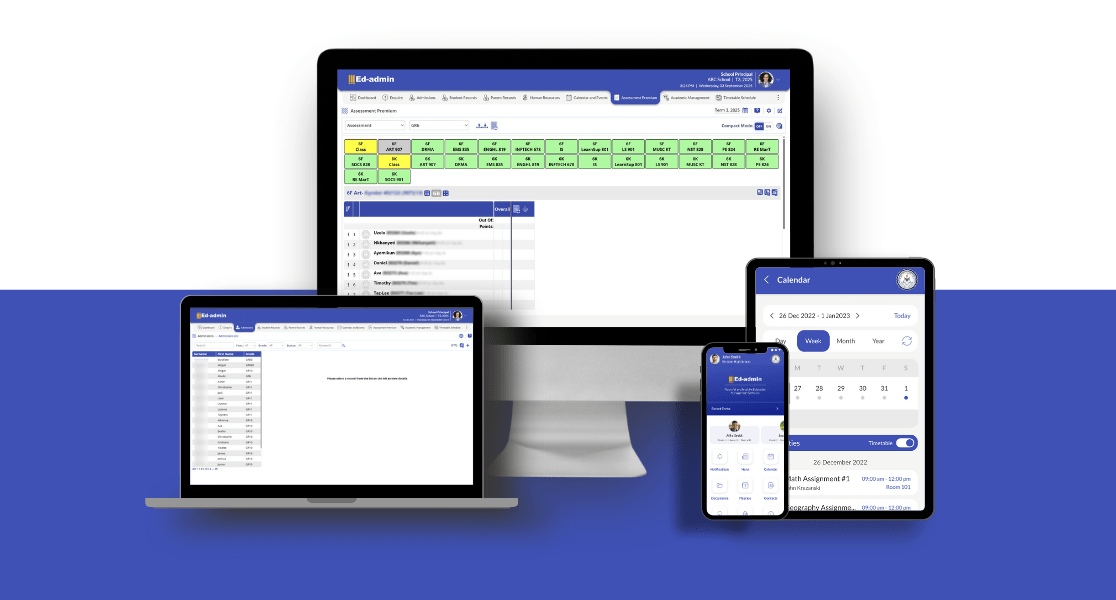
Schools don’t run from behind a desk any more. Teachers move between classes, parents check updates on the go, and decision-makers need answers fast. A mobile-friendly SMS lets everyone access the essentials, attendance, grades, and messages right from their phone or tablet. This flexibility keeps communication flowing and parents engaged, without adding extra admin.
4. Automation That Works for You
No one enjoys doing the same task ten times over. Automation can handle the basics, including attendance logs, grade calculations, and report generation. Done well, it saves hours and reduces errors. For staff, that means more time for teaching and less time double-checking spreadsheets.
5. Tools That Bring People Together
Good communication is the backbone of any school. An SMS should make it easy for staff to collaborate, for parents to stay informed, and for students to stay on track. Features like shared calendars, announcements, or instant messaging can cut through the chaos of emails and help everyone stay on the same page.
6. Data Security Isn’t Optional
Schools handle a lot of sensitive information, from student records to staff details, so keeping that data safe is critical. A dependable school management system should include role-based access controls so only the right people can view or update information. Strong encryption, both when data is stored and when it’s being transferred, is a must. On top of that, look for systems that meet recognised standards like GDPR and ISO27001. Parents, staff, and students should always feel confident that their information is secure and protected from unauthorised access.
7. Reporting That Actually Helps
Data only matters if it’s easy to understand. The best systems let leaders build custom reports to track what’s important for their school, including attendance trends, grade averages, and behavioural patterns. Visual dashboards and real-time updates make it easier to spot issues early and respond effectively.
Ask yourself:
- Can I customise reports to track our school’s priorities?
- Are analytics easy to interpret, not just walls of numbers?
- Does it give me information quickly enough to act?
8. Plays Nicely With Other Tools
Your School Management System shouldn’t exist in a vacuum. It needs to integrate with the tools you already use, whether that’s your LMS, accounting software, or email platform. Integration reduces repetitive data entry and makes daily tasks smoother for staff. Features like single sign-on (SSO) and open APIs can make all the difference.
Wrapping Up: Choosing the Right School Management System
The best school management system should make everyday school life easier, not more complicated. When it’s designed well, it helps reduce paperwork, keeps communication clear, and gives staff and parents the information they need without extra hassle. Features like mobile access, quick reporting, and solid data protection can make a big difference in how smoothly a school runs.
Ed-admin brings all of this together in one place. It’s built to support the day-to-day needs of schools, from keeping track of student records to sharing updates with parents and staff.
👉 Curious to see how it works? Request a demo with Ed-admin and find out how it could fit into your school.