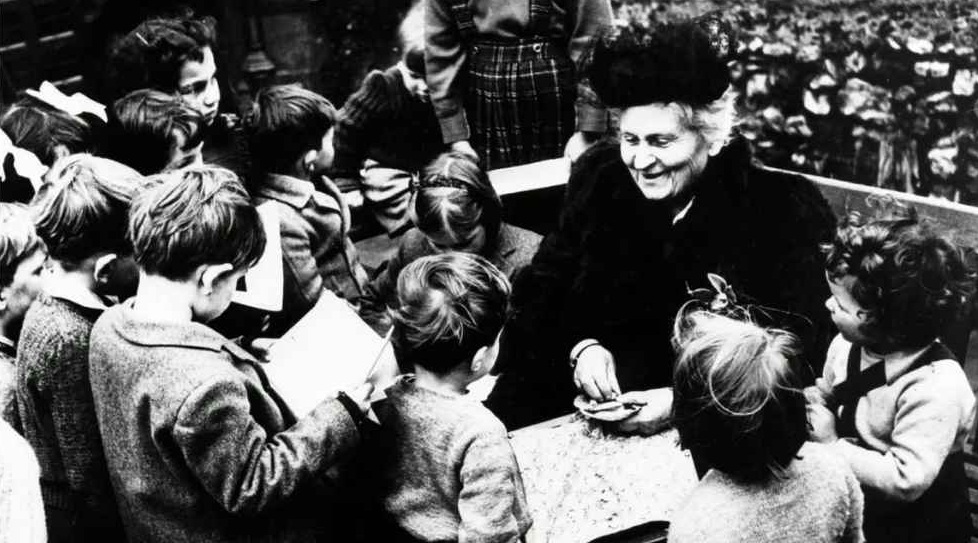
Montessori education has always felt refreshingly resistant to trends. While traditional schools race to digitise every surface, Montessori environments still centre on wood, silence, and the quiet autonomy of children absorbed in real work. Yet school leaders today face realities, reporting demands, communication needs, school management software, data compliance, and parent expectations that weren’t part of Dr Montessori’s world.
The challenge isn’t whether to adopt EdTech for Montessori schools; it’s how to do it without diluting the philosophy. This guide shows how technology can serve as a silent backstage tool rather than a classroom centrepiece.
Montessori in 90 Seconds: What Must Be Preserved
Before talking about platforms and portals, it’s essential to name the principles that cannot be compromised under the weight of digital tools:
- Prepared environment – space designed for independence and order
- Child-led work cycles – uninterrupted blocks of self-directed activity
- Control of error – materials that give feedback without adult correction
- Mixed-age community – peer learning and social responsibility
- Guide as observer – adults step back more than they step in
If technology interferes with these, it doesn’t belong.
A Brief Look at the Evidence
Recent meta-analyses and randomised studies confirm what Montessorians have observed for over a century: the model supports executive function, literacy, social-emotional development, and independence. A 2023 systematic review from the Campbell Collaboration, covering 32 studies across multiple countries, concluded that “Montessori education has positive effects on both academic and non-academic outcomes when compared with conventional schooling.” Montessori education’s impact on academic and nonacademic outcomes – Campbell Collaboration
The EdTech Litmus Test for Montessori Schools
When evaluating any digital tools for Montessori environments, administrators can apply three simple filters:
- Does it interrupt concentration?
- Does it replace tactile materials with screens?
- Does it shift the adult’s attention away from observation and toward device management?
If the answer is yes, it doesn’t align with Montessori philosophy, no matter how “child-friendly” the interface looks.
Stage-Based Tech Use: A Montessori-Aligned Approach
It isn’t simply “no tech” vs “tech everywhere.” It’s timing and purpose.
| Age Group | Tech Posture |
|---|---|
| Children’s House (3–6) | Tech remains adult-side; all observation and logging happen after sessions |
| Lower Elementary (6–9) | Introduce limited digital documentation, and the child is still hands-on |
| Upper Elementary & Adolescents | Purposeful tech use for research, presentation, and data analysis is introduced only after physical concepts are mastered |
This respects Montessori’s concrete-to-abstract progression. Digital tools appear only once the mind is ready for abstraction.
Implementation Checklist for Administrator
To ensure alignment between Montessori philosophy and school technology:
- Protect a defined, uninterrupted work cycle
- Batch record-keeping, no device pickups during observation
- Use parent communication tools that allow scheduled updates instead of constant pinging
- Digitise compliance and logistics (health, attendance, permissions) to free up adult attention
- Train staff on using tech as an after-action tool, not a classroom presence
Metrics That Actually Matter
Instead of tracking “screen time reduction,” consider more Montessori-aligned indicators:
- Number of interruptions per work cycle
- Time spent on observation vs admin
- Parent communication load reduction
- Staff clarity and preparedness at the start of the day
That’s where EdTech for Montessori schools should prove its worth, quietly boosting adult efficiency, not showcasing flashy child dashboards.
How Technology Can Support Montessori, Quietly
Once philosophy and boundaries are protected, education technology can do what it’s best at: removing administrative friction so guides can actually guide.
| Montessori Priority | Respect in Practice | Helpful EdTech Role |
|---|---|---|
| Protect the Work Cycle | No device in hand during child activity | Staff log attendance and notes after sessions |
| Real Materials First | Children manipulate physical objects | Digital portfolios document, but never replace, materials |
| Calm Communication | No mid-day interruptions for photos or updates | Parent updates are delivered asynchronously through school management platforms |
| Adult Preparedness | Guides are ready before children arrive | Scheduling, health logs, and resource tracking are handled behind the scenes |
Concrete Ed-admin Examples That Fit Montessori
1. “Student Daily Attendance”: supporting silent operations
Ed-admin’s attendance tool allows teachers to record attendance from the staff portal, even during mixed-age periods, and automatically notify parents when needed. This prevents guides from interrupting the work cycle to handle roll calls or fire off manual messages.
2. “Assessment Premium”: observation, not disruption
Ed-admin’s Assessment Premium gradebook gives teachers a place to enter observations after the work cycle has ended. The analytics dashboard then helps guide the spotting of trends across students, classrooms, or material areas.
This supports Montessori principles by ensuring:
- Teachers aren’t tied to devices during children’s activity
- Observations stay authentic and hands-on
- Planning for future material rotations is grounded in real data, not guesswork
It’s an analysis done at the right time, outside the child’s environment, which is exactly how Montessori intended adults to work.
3. “Parent Portal App”: communication without chaos
The Parent Portal within the Ed-admin Multi-Portal app gives families convenient access to progress notes, invoices, personal detail updates, and school communication, all in one place, without disrupting classroom routines.
For Montessori environments, this means:
- Parents stay informed, but not intrusive
- guides don’t become photographers or live-streamers
- The classroom stays focused, predictable, and tranquil
Together, these features capture what Montessori schools actually need from tech: quiet infrastructure, never instructional noise.
Closing Reflection: Tech as the Quiet Support System
When technology is used with intention, it stays in the background where Montessori classrooms need it to be. The right school management software doesn’t step into the child’s world; it keeps parents informed without interrupting the work cycle, manages attendance and compliance quietly, and supports guides, so their attention stays on observation instead of paperwork.
This is the kind of behind-the-scenes structure Montessori schools depend on. Tools like Ed-admin fit naturally here, acting as an organisational backbone rather than an instructional voice. They help adults keep the environment steady, predictable, and deeply human.
Montessori education and EdTech aren’t opposites. They simply demand boundaries that honour how children learn. When digital tools operate as quiet support rather than classroom noise, they reinforce the atmosphere that makes Montessori work: long focus, purposeful movement, and genuine connection. No distractions. No extra shine. Just space for children and guides to do the real work.